|
Sensu : Add Target Hosts#1
2017/10/23 |
|
Add new Linux Target Hosts.
|
|
| [1] | Install Sensu on the host you'd like to add to the Sensu monitoring target. |
|
[root@node01 ~]#
[root@node01 ~]# cat > /etc/yum.repos.d/sensu.repo <<'EOF'
[sensu] name=sensu baseurl=https://sensu.global.ssl.fastly.net/yum/$releasever/$basearch/ enabled=0 gpgcheck=0 EOF yum --enablerepo=sensu -y install sensu
|
| [2] | Configure Sensu client and start service. |
|
[root@node01 ~]#
vi /etc/sensu/conf.d/client.json # create new # for [subscriptions], set any words you like (define role)
{
  "client": {
    "environment": "development",
    "name": "node01",
    "address": "10.0.0.51",
    "subscriptions": [
      "development",
      "web-server"
    ]
  }
}
[root@node01 ~]#
vi /etc/sensu/conf.d/transport.json # create new
{
  "transport": {
    "name": "redis",
    "reconnect_on_error": true
  }
}
[root@dlp ~]#
vi /etc/sensu/conf.d/redis.json # create new # for [password], specify the password of Redis server
{
  "redis": {
    "host": "10.0.0.30",
    "port": 6379,
    "password": "password"
  }
}
chown sensu. /etc/sensu/conf.d/* [root@node01 ~]# systemctl start sensu-client [root@node01 ~]# systemctl enable sensu-client
|
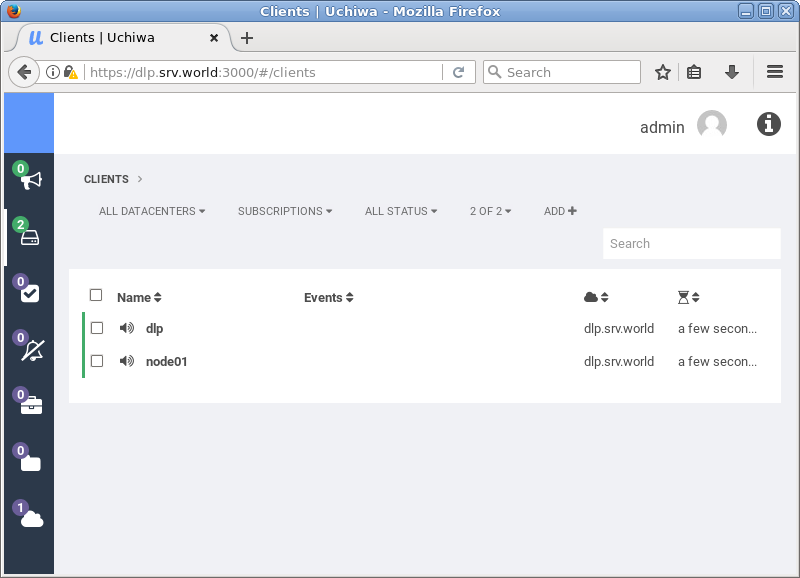
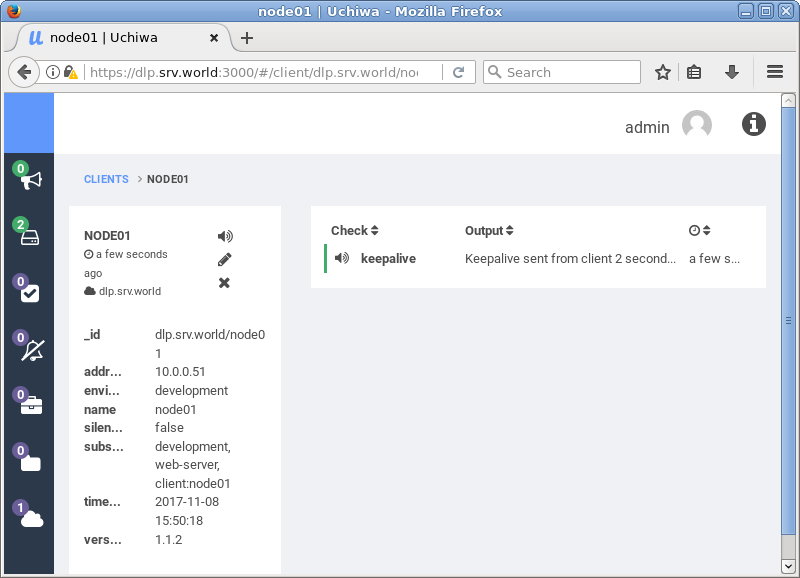
| [3] | Access to Uchiwa Dashboard and verify new target host is shown normally. |
|
|
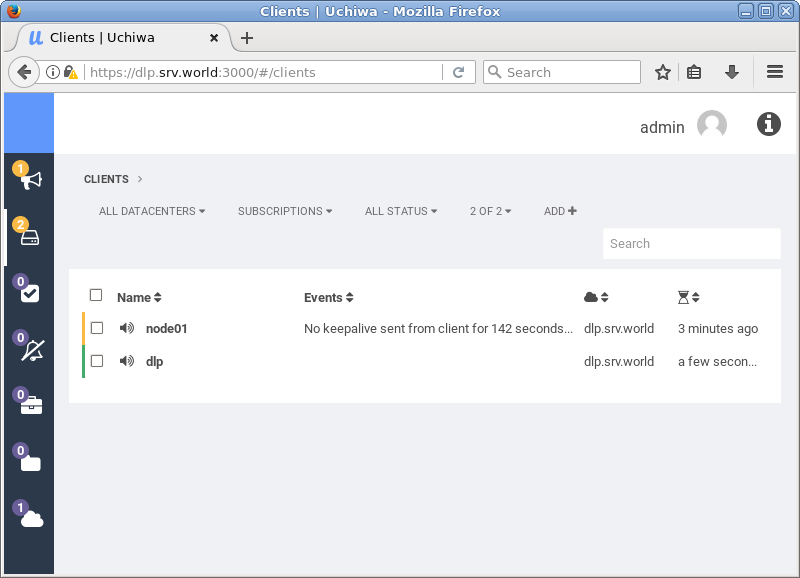
| [4] | If target is down, warning is displayed. |
|